Duplicate photos, stacked and settled.
One rose photographed 19 times. The same skyline, nine trips running. Every burst you never trimmed. SpectraSort stacks all three, flags the sharpest, and clears the rest in one batch.
iOS finds one kind of duplicate. There are three.
Duplicates — exact copies of the same file. Bursts — shots seconds apart, none of them byte-identical. Similar — the same scene, shot again months later.
Apple Photos merges the first kind. The other two are most of the clutter. SpectraSort compares what's in the picture, so all three land in stacks.
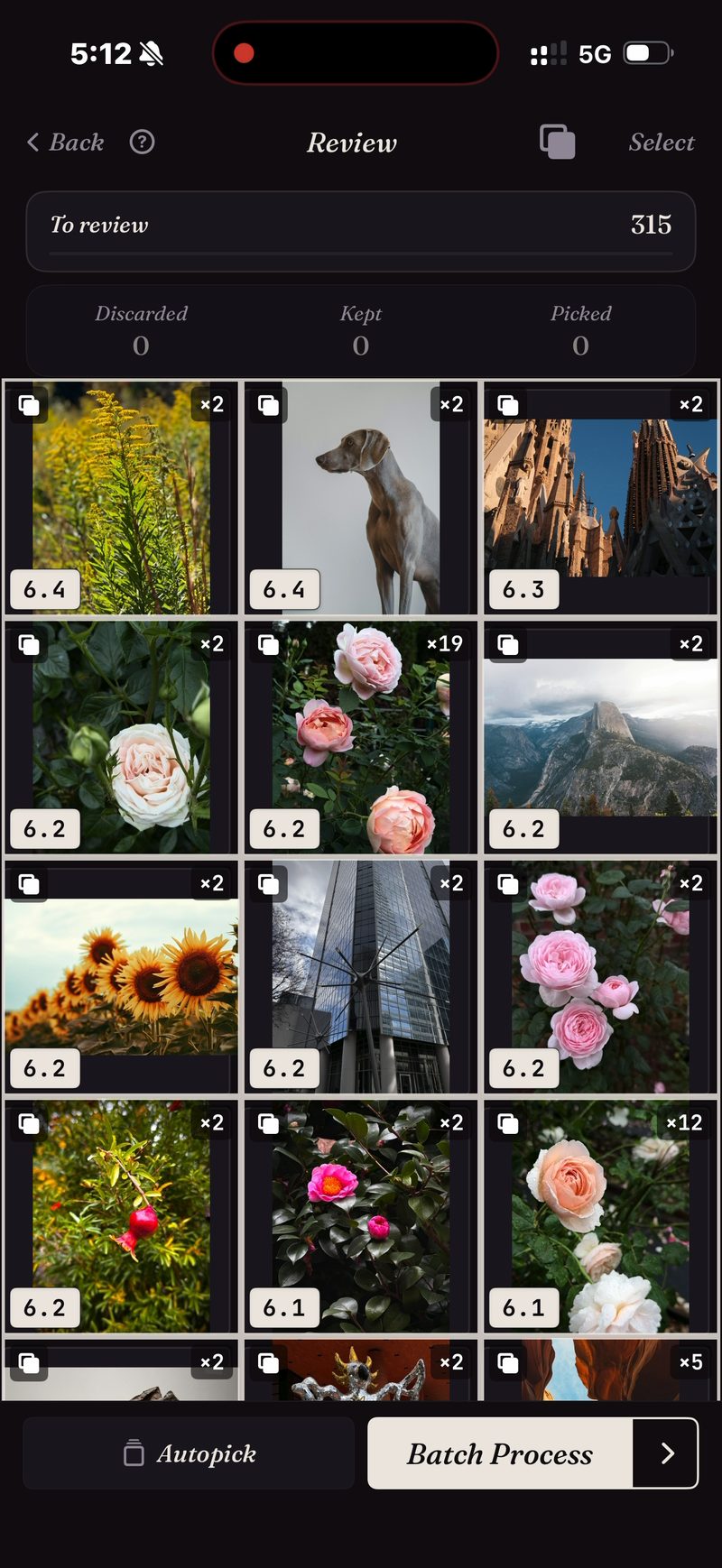
315 photos → the stacks that matter.
Run Dedupe on a trip, a month or the whole library and the grid comes back grouped. Each stack shows how many takes it holds and the score of its best one. Singles stay out of the way.
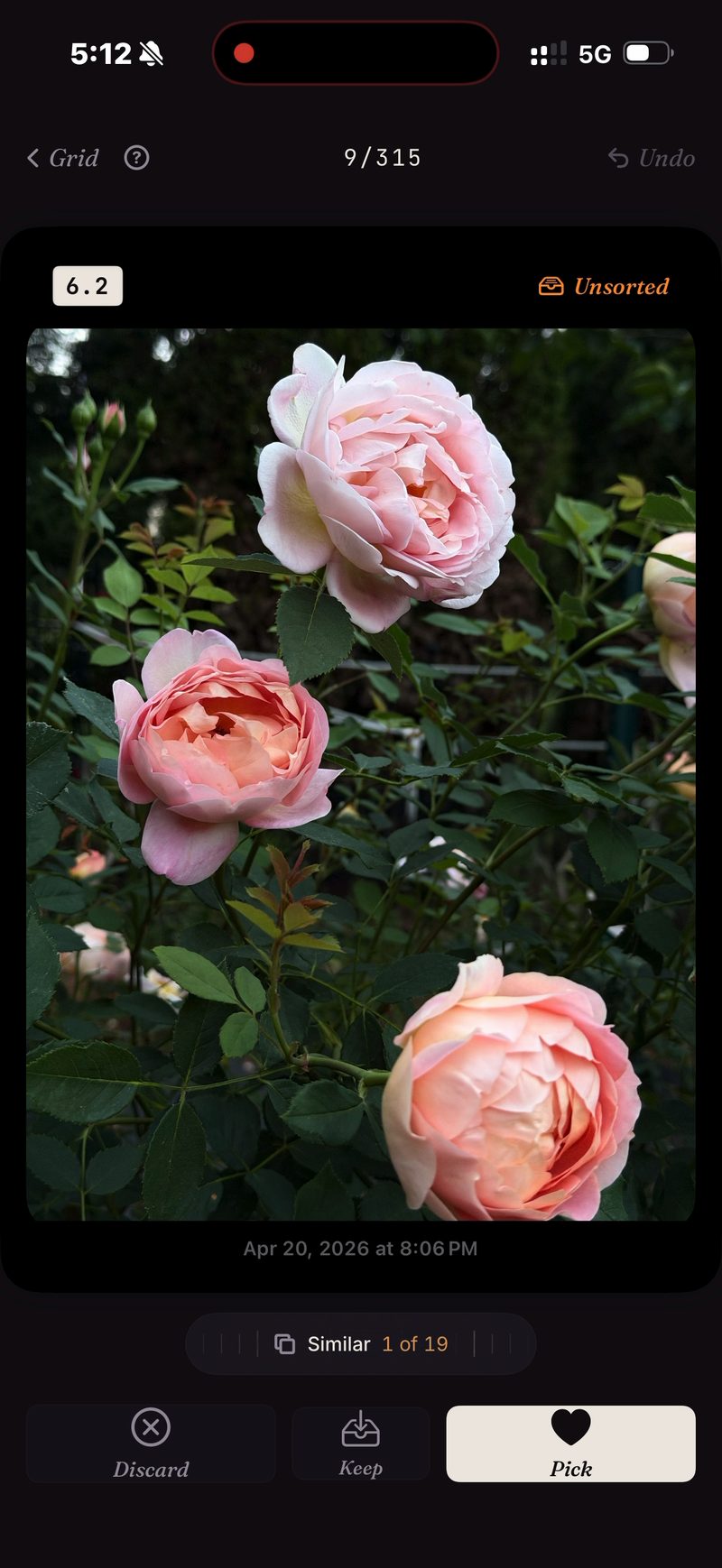
19 takes → one keeper.
Inside a stack the takes sit on a wheel. Roll through them without leaving the photo, keep the one you want, and the stack is done.
Or let Autopick do it: the copies go to Discard and the best of every stack stays for you to decide. Then one batch clears the rejects — behind the system confirmation dialog, into Recently Deleted.
Clearing duplicates is where most of a camera roll's storage goes. Deleted photos land in iOS's Recently Deleted album; empty it there and the space comes back at once, or leave it and iOS frees it after 30 days. Each Delete in SpectraSort shows the storage it frees before you confirm.
The fine print
The comparison runs on the iPhone's Neural Engine. Nothing is uploaded and there's no account. More on how that works →
- It looks at your photo library only — not files, downloads or anything else on the phone.
- iPhone only, iOS 18.5 or later. No iPad, Android or desktop version.
- The very first index of a big library takes some time. After that it's automatic — new photos are indexed as they appear, so you don't wait again.
- Deleted photos go through iOS's own trash: they land in Recently Deleted, and the storage comes back the moment you empty that album there — or automatically after 30 days.
Five free actions a week. Pay once for unlimited.
Five free actions a week, with no account and no credit card. Pay $19.99 once for unlimited actions. No subscription, ever. Built by an indie dev who uses it daily.
Download on the App Store