The AI photo picker for iPhone.
Search can find every beach photo you've ever taken. It can't tell you which three are worth keeping. That second question is what SpectraSort is for: it scores your photos for quality, learns your taste from the ones you keep, and puts the winners at the top.
What a photo picker is
The term gets used loosely, so it helps to separate three kinds of app:
- Photo search finds matches. Ask for "beach" and you get all 87 beach photos you've ever taken, in one long grid, in date order.
- Photo cleaners look for junk: duplicates, screenshots, blurry shots. Useful, but they can only tell you what's bad.
- A photo picker makes the call. It scores each photo on sharpness, exposure, composition and how well it matches what you asked for, then hands you the set ranked, best first, with a way to act on it.
Most people don't struggle to find their photos. They struggle to choose between them. SpectraSort is built for the choosing.
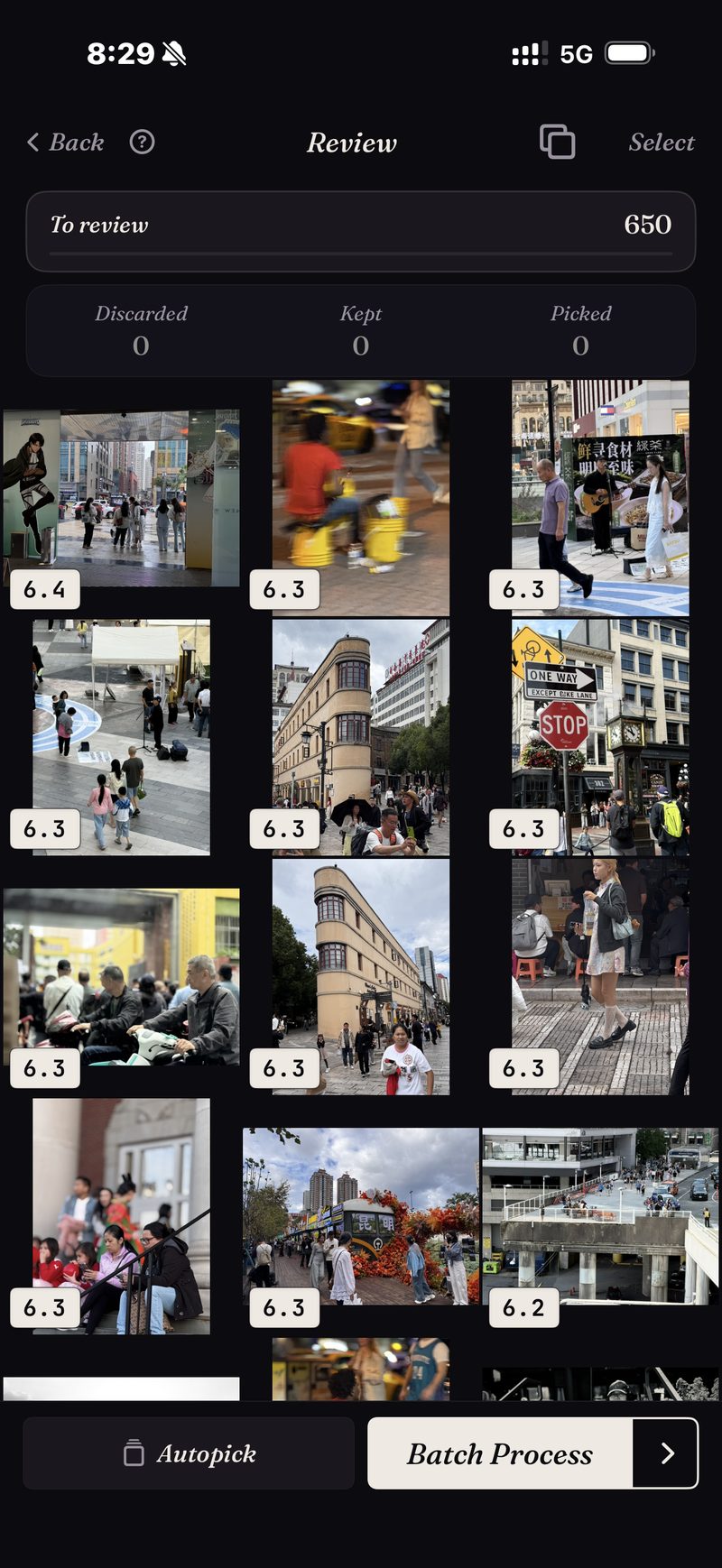
Every result comes back best-first.
There are six tools, one tap each: Your Taste, Best Shots, Find a Subject, Like This Photo, Dedupe, and Photos of a location.
Whichever one you use, results come back scored and ordered. The capture here is a real sort: a 650-photo street slice, every frame scored, best first.
Sorts come back almost instantly, because they run against an on-device index. It's built once — up to 100 photos a second on recent iPhones — then kept current automatically as new photos appear.
It learns which photos you'd keep.
Most photo AI scores against a universal idea of a good photo: sharp, well lit, centered. Your favorites don't always fit that mold. Maybe you like the backlit one, the dog mid-shake, or a slightly soft frame you'd still print.
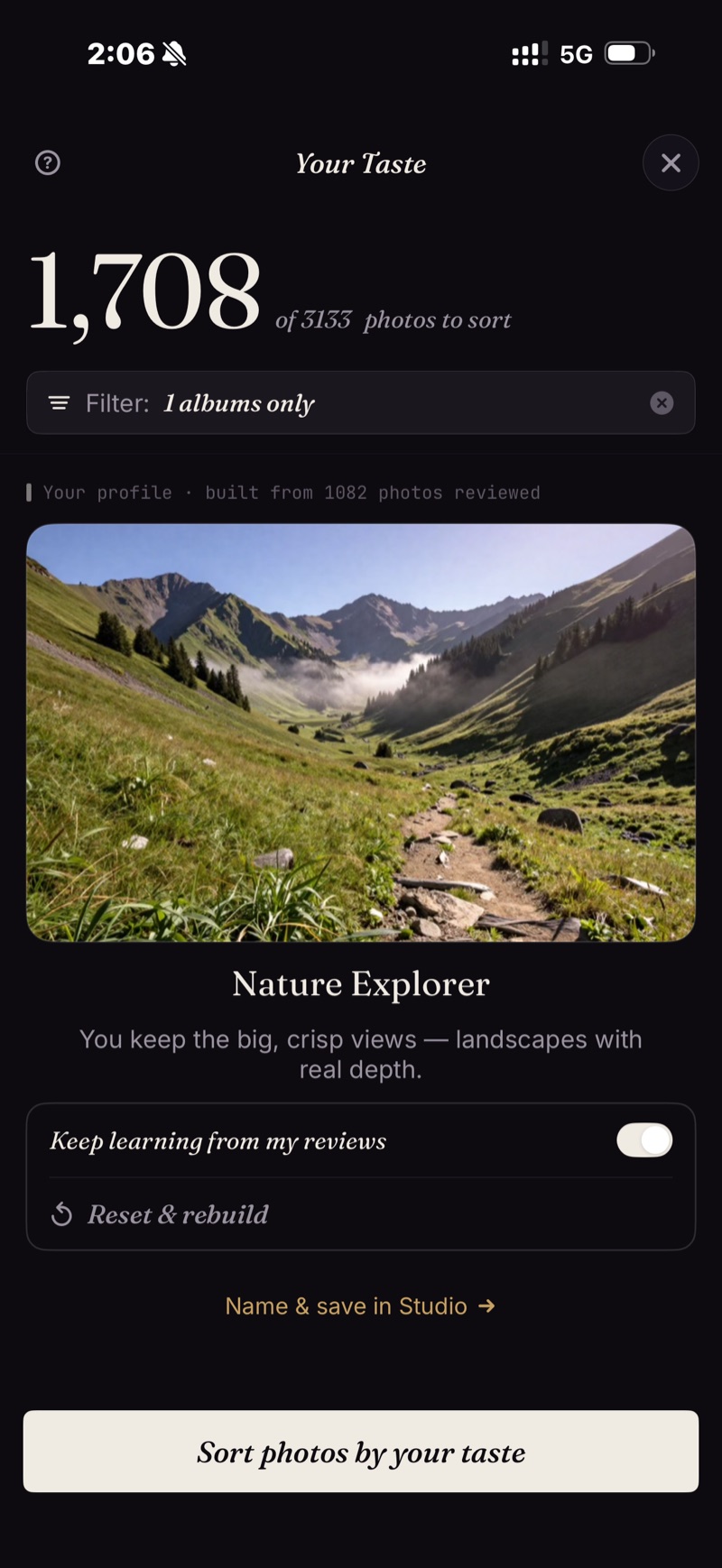
So SpectraSort watches what you keep and what you let go during review, and builds a taste profile from it. After enough reviews, sorting by Your Taste starts to look like an album you picked by hand. You can pause the learning, reset it, or keep several profiles, and it all stays on your phone.
Nothing leaves the phone
All of the scoring happens on your iPhone's Neural Engine. Your photos aren't uploaded anywhere, there's no account, and the models ship pre-trained, so nothing about your library ever reaches anyone else. More on how the on-device setup works →
- iPhone only, iOS 18.5 or later. No iPad, Android or desktop version.
- The very first index of a big library takes some time. After that it's automatic — new photos are indexed as they appear, so you don't wait again.
- The taste profile is only as good as the reviews you've given it. It starts generic.
- Deleted photos go through iOS's own trash: they land in Recently Deleted, and the storage comes back the moment you empty that album there — or automatically after 30 days. Each Delete in SpectraSort shows the storage it frees before you confirm.
Five free actions a week. Pay once for unlimited.
Five free actions a week, forever — no account, no credit card. Pay once for unlimited actions. No subscription. Ever.
Download on the App Store